


Bold: Local Chat & Date
4.7115.00 Reviews
App Specs
- Version
- 1.66.0
- Updated On
- License
- Free
- Downloads
- 10,000+
- Developer
- Robo Technologies
- Categories
- Social
- Platform
- Android
Screenshots

 Analysis by AppCompare
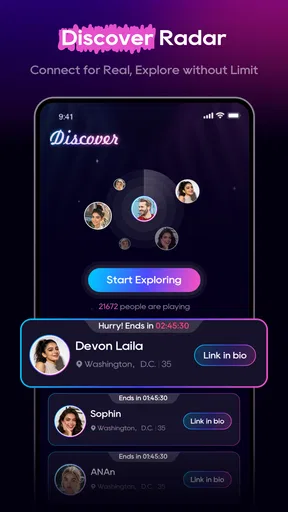
I approached Bold: Local Chat & Date as a social app for people who want nearby conversations to turn into real connections, rather than another feed that demands endless scrolling. Its focus is simple: discover people close to you, find a match, and start chatting. That sounds straightforward, but apps built around location and instant interaction can feel confusing when the first screen does not behave as expected. My experience is that Bold is easiest to judge when you treat it as a quick local discovery tool, not as a complete replacement for every social or dating service you already use.
Bold is free to install, belongs to the social category, and is developed by Robo Technologies. It is intended for mature users, with a 17+ content rating, so it is not an app I would hand to a teenager or recommend casually without considering the kind of conversations that can happen there. The app has a 4.7 average from around two thousand ratings and has passed the ten-thousand-install mark, which suggests that it has attracted a meaningful early audience without pretending to be an enormous mainstream network.
Getting past the first points of friction
I’d use the first session to learn how Bold handles the shift from local discovery to a conversation, rather than treating a quiet screen as a verdict on the whole app. Testing that flow when your connection is steady—and deciding in advance what personal details you’re comfortable sharing—makes it easier to separate ordinary friction from a poor fit.
Why the opening experience can feel slower than expected
The biggest source of frustration with a nearby-connection app is usually not the chat itself. It is the moment before the chat: the app needs enough context to show relevant people, and the result depends on what is available around you. If the first discovery view looks quiet, repetitive, or less useful than expected, I would not immediately assume that Bold is broken. A small local audience, an incomplete setup, or a temporary connection issue can all make the first impression weaker.
This is an important difference from a general social network. A large platform can fill a screen with posts from people anywhere. Bold’s value is more dependent on proximity and timing. If you are using it in a sparsely populated area, during a quiet period, or while moving between locations, the selection may feel limited even when the app is operating normally. I found it more useful to treat the first session as a setup and calibration period instead of expecting an instant stream of perfect matches.
The “Bold” label also sets a particular expectation. This is not an app I would choose if I wanted a slow, highly structured profile-building process before speaking to anyone. Its appeal is the shorter path from discovery to conversation. That speed is convenient, but it also means I would spend more time judging the quality of a conversation after matching and less time assuming that a match alone proves compatibility.
What to check before blaming the app
Before trying anything complicated, I would check the basics in a calm order. First, make sure the phone has a stable internet connection. Switching between a weak mobile signal and unreliable Wi-Fi can make a discovery or chat screen appear empty, stale, or slow. Next, close and reopen the app rather than repeatedly tapping the same control. A fresh session often separates a temporary loading problem from a problem that needs further attention.
Worth Reading Before You Choose

Flipboard Shows What News Apps Must Do Beyond the Feed

Switching to Android Auto Means Rethinking Your Driving Routine

Google Calendar Makes a Crowded Week Easier to Manage

Ludo King Makes the Most of the Minutes Between Plans

Baby Panda World Brings Quick Play to Modern Phones, but Its Game Library Feels Busy

ESPN’s Live Game View Makes Following Close Games Easier
I would also confirm that the phone is running a compatible operating system. Bold supports Android 7.0 and later, so an older device may be the reason an installation or update does not behave normally. On a supported phone, keeping the app on its current release is sensible; the current version is 1.66.0. That does not guarantee that every issue disappears, but it removes one avoidable source of trouble when a conversation or discovery screen fails to refresh.
Another useful check is storage. A phone that is nearly full can behave strangely when installing updates or handling temporary app data. I would free a little space, restart the phone, and then test Bold again before deleting anything important. If the app opens but a particular action does nothing, I would try the same action after moving to a stronger connection. This simple comparison can reveal whether the difficulty belongs to Bold or to the network around it.
How I would prepare a first session
I recommend starting with a short, intentional session rather than trying to complete everything while distracted. Choose a place with a dependable connection, allow the app to settle after opening, and read each screen before moving on. If Bold asks for information or access that you are not comfortable providing, pause and decide whether the app still fits your needs. A social app is not worth rushing through if the setup makes you uneasy.
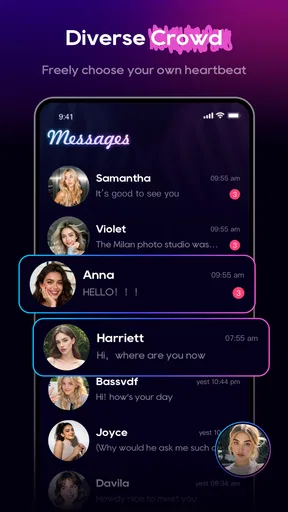
For a better first test, I would give myself three goals: confirm that nearby discovery loads, see whether matching leads into a usable chat, and check whether returning to the app preserves the conversation flow. Those checks tell you much more than simply installing the app. They also prevent a common mistake: judging the entire service from one stalled screen without checking whether the problem follows you through the rest of the workflow.
Because Bold is rated for mature users, I would approach conversations with the same caution I use on any local social platform. Do not treat a nearby profile as proof of identity, do not share sensitive personal details early, and do not let the promise of an immediate connection pressure you into meeting someone before you are comfortable. The app can make discovery feel quick; your safety decisions should remain deliberately slow.
Recovering when a match or chat seems stuck
When a match does not appear to progress, I would first distinguish between three situations: the screen is still loading, the match is visible but the chat cannot be opened, or the chat opens but messages do not move. Each points to a different next step. For a loading screen, wait briefly and reopen the app. For an inaccessible conversation, check the connection and try again later. For messages that do not send, avoid pressing the send control repeatedly, because that can create uncertainty about whether a message was delivered once the connection returns.
A useful recovery habit is to change only one thing at a time. Restart Bold, test the connection, and then try the action again. If you immediately reinstall, switch networks, clear storage, and change device settings together, you lose the ability to identify what helped. I prefer a controlled approach: close the app, reopen it, revisit the same conversation, and only then consider a more substantial reset.
If you do decide to clear temporary app data through the phone’s settings, read the warning carefully before confirming. Clearing temporary files is different from removing the app or erasing account-related information. I would not take that step while an important conversation is mid-flow unless I had already decided that the possible convenience was worth the risk of needing to sign in or set things up again.
There is also a social form of recovery. If a conversation becomes awkward, quiet, or clearly unsuitable, do not keep forcing it simply because the match was nearby. Bold’s fast route into chat is useful when there is mutual interest, but it can make a weak match feel more urgent than it really is. A polite pause or ending the conversation is often better than trying to turn every match into a date.
Everyday use: a realistic local scenario
Imagine finishing work in a new part of town and wanting to meet people nearby without committing to a large group event. I would open Bold from a reliable connection, browse the local discovery options, and look for a conversation that feels natural rather than sending the same opening line to everyone. If a match responds, I would keep the first exchange light and avoid revealing my home address, workplace details, or daily routine.
If the conversation develops, the nearby focus can become practical. You may be able to discuss a public place, a convenient time, or a shared local interest more easily than you could with someone far away. That is where Bold has a clear reason to exist. The trade-off is that local relevance can narrow the pool. If the available people do not suit you that evening, repeatedly refreshing will not necessarily improve the result. I would return later rather than forcing a decision based on a thin selection.
When the problem is outside Bold
Some apparent app failures are really account, device, or environment problems. A phone that aggressively limits background activity may make a chat feel less responsive after you leave the app. A weak signal in a building can interrupt loading. A crowded network can cause a message to wait even though other apps appear to work. These possibilities matter because reinstalling Bold will not repair a poor connection or a device that is running out of space.
Location-dependent discovery can also be affected by where you are using the phone. Underground transport, large buildings, rural roads, and rapidly changing locations are all poor places to evaluate a nearby social experience. I would test the app from a stable location before deciding that its local matching is ineffective. If the same issue appears consistently in a strong connection and on a supported device, then it becomes more reasonable to treat it as an app-specific problem.
Notifications deserve realistic expectations too. A delayed alert does not necessarily mean that a conversation has disappeared, and an alert arriving late does not mean the other person has just sent a new message. I prefer opening the app directly when a conversation matters, especially after reconnecting to the internet. That avoids making a social decision based only on a notification that may have been delayed by the phone.
What the cost model means in practice
Bold is free to start, which makes it easy to test without paying at the door. However, in-app purchases range from $14.99 to $299.99 per item. That is a wide range, and it is the main reason I would resist buying anything during the excitement of a new match. I would first use the free experience long enough to decide whether the local discovery and chat flow genuinely fit my routine.
The practical question is not whether a paid option might make the app more convenient. It is whether the free experience already gives you enough useful interaction to justify spending more. If you live somewhere with few nearby users, paying may not solve the underlying limitation. If the issue is a connection problem or setup error, a purchase certainly will not repair it. I would only consider an in-app item after checking the exact price, understanding what it does, and deciding on a personal spending limit.
This pricing structure also makes Bold less suitable for someone who wants a completely predictable, no-purchase social tool. For that person, a platform with a simpler free model may feel more comfortable. Bold is easier to recommend to users who are willing to explore the basic experience first and make deliberate choices later, rather than treating every optional purchase as necessary for participation.
Who will enjoy it, and who should skip it
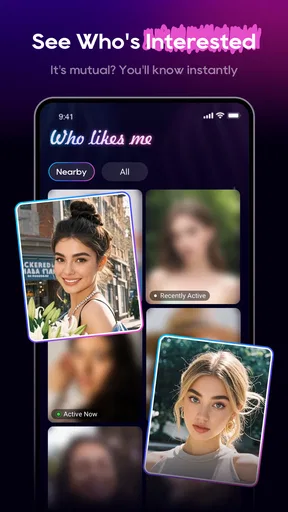
I think Bold is a good fit for adults who care about local relevance and prefer moving from discovery into conversation quickly. It can suit someone who has recently moved, wants to widen a nearby social circle, or is open to meeting a person without spending hours building a public profile. The short path from seeing a potential connection to chatting is the app’s strongest practical idea.
I would be more cautious recommending it to people who need a large, established community in every location. The app’s usefulness depends heavily on who is active near you, so a major city and a quiet rural area may produce very different experiences. It is also not my first choice for someone who wants extensive compatibility tools, a highly formal dating process, or a social space designed mainly around long-form posts and established friendships.
Users who dislike location-oriented services should skip it as well. The local angle is not a minor detail that can be ignored; it shapes the whole reason to open the app. Likewise, anyone under the mature age rating should not use it. For adults, the right mindset is to see Bold as one channel for meeting people, not as a guarantee that every nearby match will be trustworthy, available, or compatible.
How it compares with familiar alternatives
Compared with a broad social network, Bold feels more focused on the immediate possibility of a nearby conversation. A conventional network is usually better for keeping up with people you already know, following public interests, or browsing content without any expectation of a match. Bold makes more sense when your goal is active discovery rather than passive updates.
Compared with a traditional dating app, its appeal is the local-chat emphasis and the sense of a shorter route to interaction. The compromise is that users who want deep profile detail, carefully structured preferences, or a large pool may find a more established dating service easier to evaluate. I would choose Bold when proximity and speed matter more than a long screening process.
Compared with a messaging app, Bold is useful at the beginning of a connection, before you already have someone’s contact details. A messaging app remains better once trust exists and both people want a familiar private channel. I would not move a new conversation elsewhere immediately simply because the other person suggests it; staying cautious during the early stage is more important than keeping the exchange convenient.
My practical verdict after testing the workflow
Bold: Local Chat & Date is an appealingly direct social app, but its success depends on conditions that are easy to overlook. The local audience, your connection, the phone’s compatibility, and your expectations all matter. I like the idea of reducing the distance between finding someone nearby and starting a conversation, and the app is at its best when you use that speed without confusing it with trust or compatibility.
The most useful approach is to test the complete path before spending money: open the app on a stable connection, confirm that discovery works, try a respectful conversation, close and reopen the app, and see whether the workflow remains understandable. If something fails, change one variable at a time instead of assuming that a reinstall or purchase will fix it. Those habits make the experience less frustrating and help you decide fairly whether the issue is Bold or the surrounding conditions.
Robo Technologies has positioned this as a free, mature social experience, and the current release is 1.66.0. I would recommend it to an adult who wants to explore nearby connections and is comfortable with a more immediate style of interaction. I would not recommend paying quickly, relying on it as a sole dating strategy, or using it where privacy and local safety concerns make the format uncomfortable. My bottom line: try the free workflow patiently, keep your boundaries firm, and judge the app by the quality of real conversations rather than by how fast it produces a match.
Pros
- Location-based matching helps you meet people nearby.
- The interface is simple and easy for first-time users.
- Chatting before meeting can help build initial trust.
- Useful for discovering local social and dating opportunities.
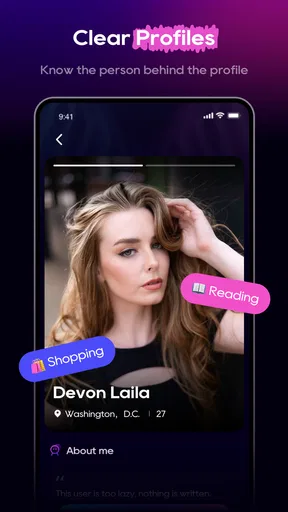
- Profile browsing makes it easy to find compatible interests.
Cons
- Your experience may depend heavily on the number of local users.
- Location features can raise privacy concerns for some users.
- Some useful features may require in-app purchases.
- Not every profile may be active or responsive.
- Meeting strangers still requires caution and public locations.
FAQs for Bold: Local Chat & Date
What is Bold: Local Chat & Date, and how does it work?
Bold: Local Chat & Date is a social dating app designed to help you discover and connect with people nearby. After creating a profile, you can browse local users, review their photos and information, and interact through chat or matching features. The experience is focused on meeting people in your area, so your location and profile preferences play an important role in the recommendations you receive.
Does Bold: Local Chat & Date require my location, and can I use it without sharing it?
Because Bold is built around local discovery, location access is likely an important part of finding nearby profiles and showing your account to people in your area. You may be able to deny precise location access or enter a general location manually, but this can reduce the accuracy of matches and local recommendations. Before registering, review the app’s permission requests and privacy settings carefully.
Is Bold: Local Chat & Date free to download and use?
Bold: Local Chat & Date may be available to download at no initial cost, but some functions can be limited to free users. Features such as enhanced visibility, unlimited messaging, advanced filters, or additional interaction options may require in-app purchases or a subscription, depending on the current version. Check the store listing and payment screen before confirming any purchase.
How can I protect my privacy and stay safe while using Bold?
Avoid sharing your home address, workplace, financial details, passwords, or other sensitive information with someone you have just met. Use the app’s blocking and reporting tools if a profile behaves suspiciously or makes you uncomfortable. If you arrange a meeting, choose a busy public location, tell a trusted person where you are going, and consider using a video call first to verify the person’s identity.
Can I delete my Bold account, and what should I know before doing so?
You should be able to manage your profile, privacy, and account options from the app’s settings, although the exact menu names may vary by version. Deleting the app from your phone does not necessarily delete your account or personal data. Look for a dedicated account-deletion option, cancel any active subscription through Google Play or the App Store, and confirm what information is removed according to the privacy policy.


